Not a step tracker
If you walked, ran or cycled for a whole year, how far around the world would you go?
FAR takes the distance you walk, run and ride, and moves you exactly that far across a real map of the world. One kilometre for one kilometre.
Your first month is free. No card, nothing to cancel.
Singapore first. FAR is on the Singapore App Store and Google Play to begin with, so the buttons above won't work if you're somewhere else yet. Tell us where to write and we'll let you know the moment we open your country.
Tell me when it opens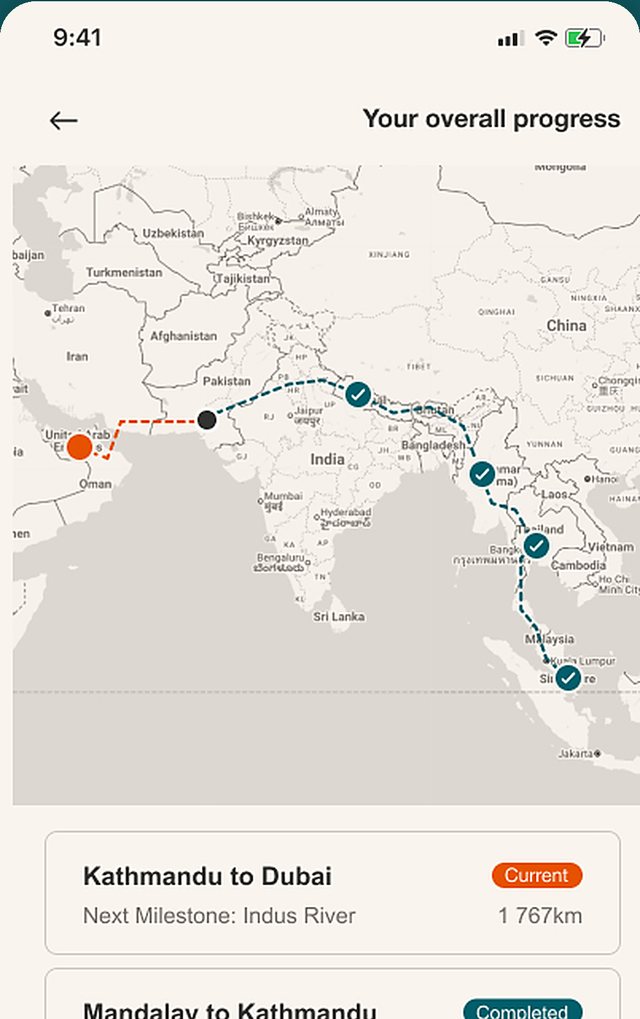
Every kilometre takes you somewhere real.
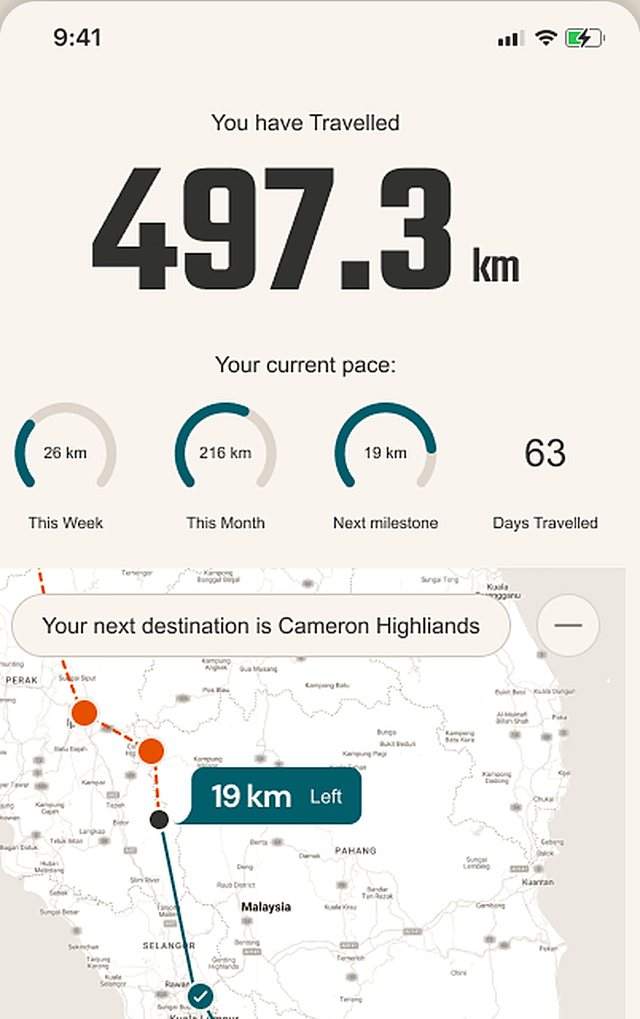
FAR reads your walking, running and cycling distance from Apple Health or Health Connect. Nothing to start, nothing to log — the commute, the school run and the Sunday ride all move you forward.
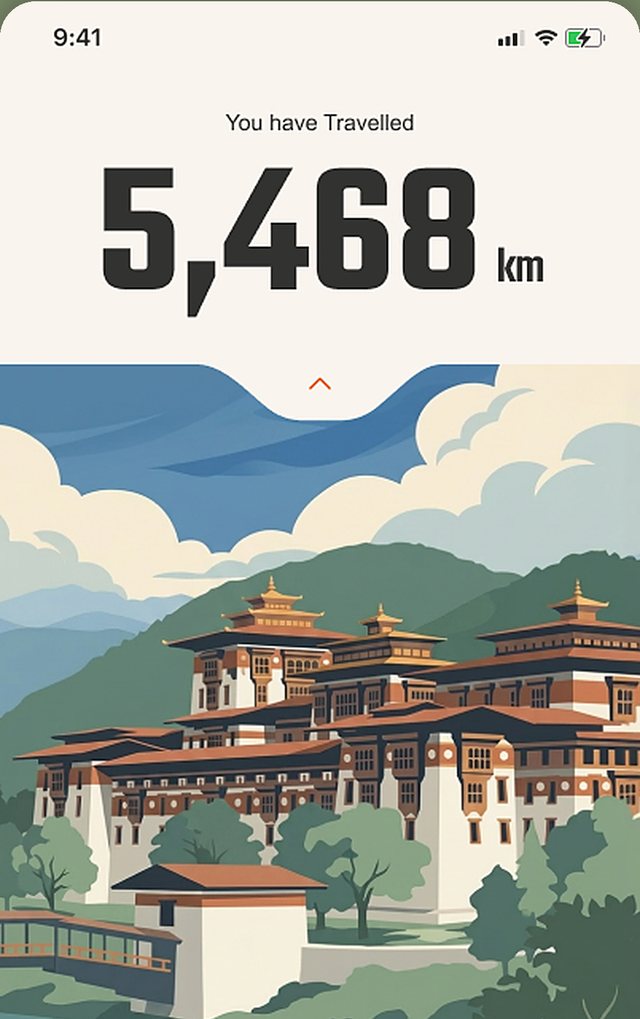
Today you're in Punakha, Bhutan.
A real town deep in the Himalayan valleys, at its true distance from where you started. Every milestone is somewhere you could actually stand.
Reach a milestone, keep the postcard.
Arrive somewhere new and it's yours to keep. Over the months your collection becomes a record of everywhere your own feet and wheels have taken you.

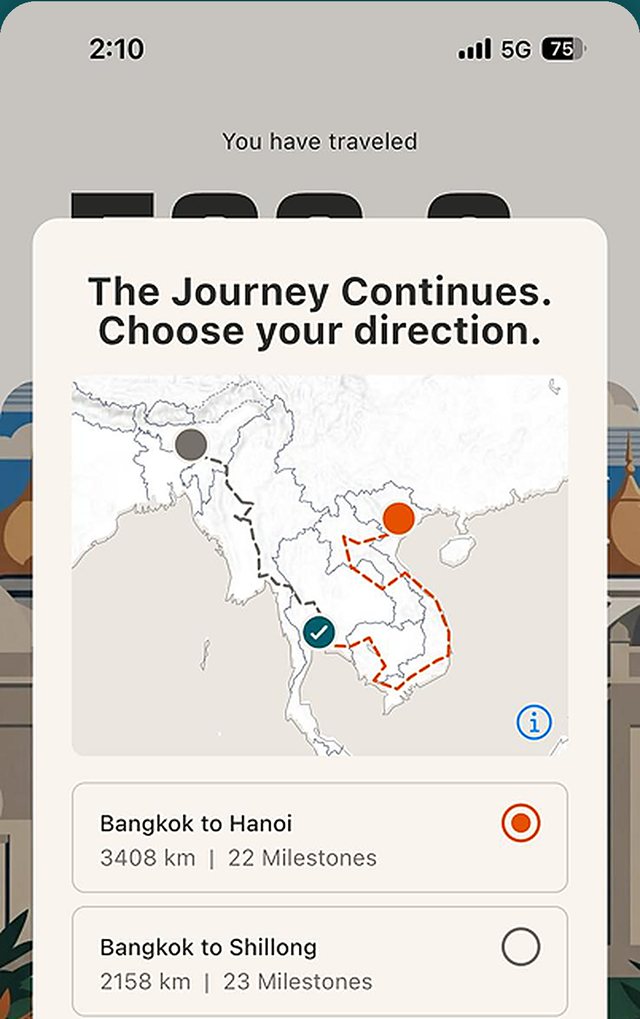
Your journey, your decisions.
When a route ends, the map branches and you choose where to go next. No leaderboards, no streaks — just you, moving at your own pace, for as long as you keep going.
Your first month is free.
Full access, no card, nothing to cancel. If you love it, keep going with a monthly or annual subscription. If not, it simply stops.
Launch offer: 50% off your first year on the annual plan.
Getting it working
Nearly every problem is a permission in Apple Health or Health Connect. These five fix most of them.
Why isn't my cycling being counted?
Usually one of two things:
- Cycling Distance isn't switched on for FAR. On iPhone it's a separate permission from walking: open the Health app, tap your profile picture, then Apps → FAR and turn on Cycling Distance. On Android, check FAR has Distance and Exercise in Health Connect.
- Your cycling app isn't sending rides to Apple Health. Strava, Garmin Connect, Wahoo and most bike computers can, but it's often off by default. Look for Apple Health (or Health Connect on Android) in that app's settings and allow it to share workouts and distance.
To check: open Health → Browse → Activity → Cycling Distance. If the ride is there, FAR will count it. If it isn't, FAR can't see it yet.
Do I need to set up Apple Health or Health Connect?
Yes, once. FAR doesn't record anything itself — it reads the distance your phone and watch already record. When FAR asks for access, allow Walking + Running Distance and Cycling Distance on iPhone, or Distance and Exercise on Android.
Skipped it? On iPhone, open the Health app, tap your profile picture, then Apps → FAR → Turn On All. On Android, open Health Connect (on Android 14 and later it's inside your phone's Settings — search for "Health Connect"), then App permissions → FAR and allow Distance and Exercise.
Why doesn't my distance match my watch or Strava?
FAR uses the total from Apple Health or Health Connect, which combines every source and counts overlapping activity once — so a walk recorded by both your phone and your watch isn't counted twice.
Strava only shows the activities you record in Strava. FAR also counts all your everyday walking, so it's usually higher.
Do I need to open FAR before I go out?
No. There's nothing to start or stop. Walk, run or ride as normal and the next time you open FAR, you'll have moved.
If a recent activity hasn't appeared, check it's in Apple Health first — watch data can take a little while to reach your phone.
Does FAR use GPS or drain my battery?
No. FAR never uses GPS or your location. It reads distance your phone and watch have already recorded, so it adds almost nothing to your battery use.
New routes, new starting points.
We're still drawing the map — new places to begin, and new roads on from the ones that end. Tell us where to write and we'll let you know when the next ones open.
A few emails a year. We'll send a confirmation link first, you can unsubscribe in one click, and we never share your address — see the Privacy Policy.